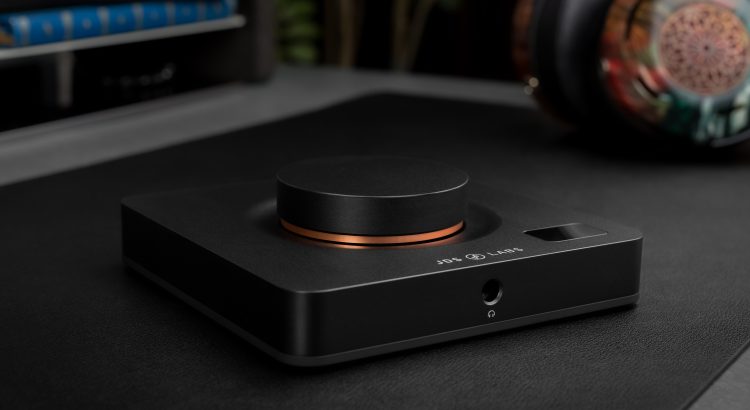
Element IV firmware v2.3.0 is now available! In this post, I’ll elaborate on the more complex changes, as most are self-explanatory:
- Auto Preamp Gain: Raised internal headroom from 1 dB to 3 dB to prevent distortion from intersample overs
- Support S/PDIF stream detection: 5-min LED standby now works in TOSLINK mode (previously limited to USB mode)
- Support Core over UAC1
- Support truly automatic UAC1 Fallback for PS4, PS5, and Nintendo Switch; no need for manual UAC selection
- Improved boot screen: clear instead of drawing over logo
- Improved UX of Factory Reset to confirm and reboot
More Headroom for Intersample Overs
A customer earlier this year mentioned he had to use Manual Preamp Gain, as Auto caused clipping. We had no other reports at the time and I shrugged it off as an edge case. When another Element IV owner emailed about similar behavior months later, I asked for his exact audio tracks. His FLAC files solved the mystery and I immediately heard the distortion. Analyzing the tracks in Adobe Audition revealed intersample overs at the moments of distortion.
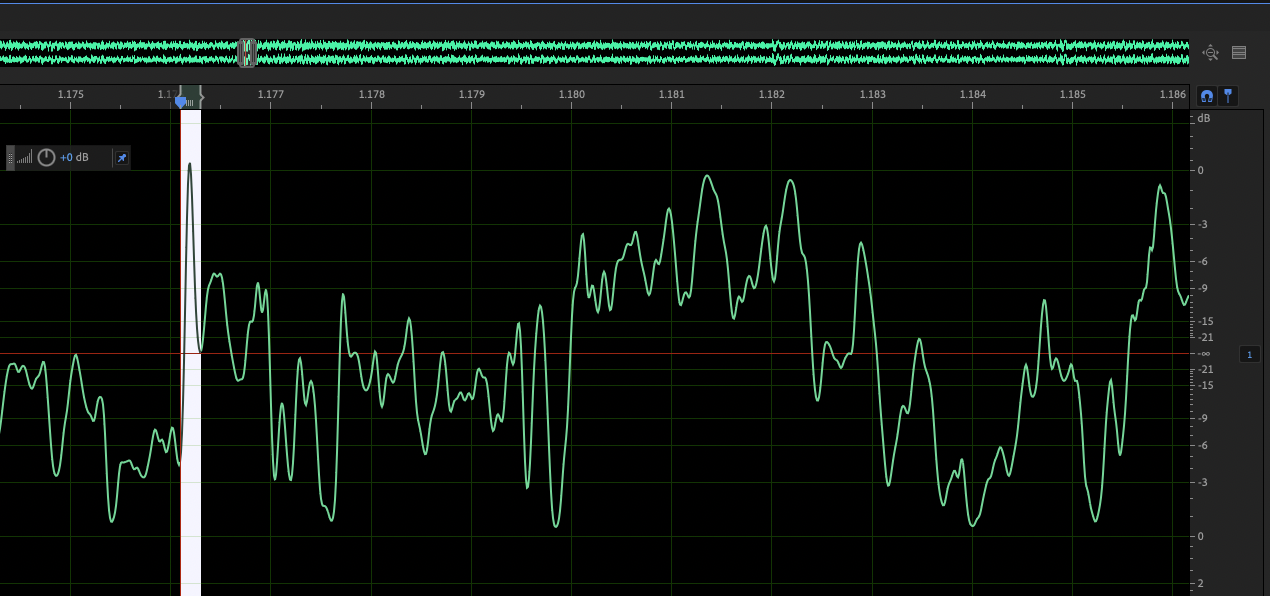
A DAC creates analog audio by interpolating sample points from the digital audio stream. When consecutive samples sit near 0 dBFS, the reconstructed waveform can peak above 0 dBFS between them. Without adequate headroom, this results in distortion. Intersample overs are easy to miss in testing, since most analyzer measurements use digital sine waves at or below 0 dBFS.
When DSP features are off, Element IV avoids intersample over clipping by design. Volume is attenuated in the digital domain, so there is ordinarily ample headroom, as long as you are not listening at max volume at low or high gain (0 dB or +14 dB).
But the DSP pipeline is different. Auto preamp gain applies necessary attenuation for any DSP work, then applies EQ filter(s), and finally compensates volume by the amount of preamp gain. The digital signal is kept as large as possible for maximum dynamic range, with slim headroom to avoid digital overflow. There’s a quiet assumption made here, in that the audio signal must never exceed 0 dBFS. In earlier firmware versions, we defined internal headroom of 1 dB beyond the necessary preamp gain. This meant that any intersample overs exceeding +1 dB could distort in the DSP filters themselves. Although this is rare, we’ve increased headroom in Auto Preamp Gain mode from +1 to +3 dB.
tl;dr – Internal DSP headroom is now 3 dB to sharply reduce the likelihood of distortion from intersample overs.
Full UAC1 Support + Auto Fallback
Element IV has supported UAC2 and UAC1 since launch. However, switching modes was manual. Once set to UAC1 mode, you were locked out of Core until returning to UAC2 mode from the OLED menu.
We’ve reworked USB handling so that Core and firmware updates are fully supported in both UAC2 and UAC1 modes.
Even better, you no longer need to think about UAC mode. Element IV connects as a UAC2 device if possible, and now automatically falls back to UAC1 when the host lacks UAC2 support. The fallback determination is made within two seconds of startup and is maintained until you power off and back on. You can still force a USB class change through the OLED menu or Core as before.